Robot Vacuum Battery Longevity: Li-ion vs Li-Po Breakdown
By Lucas Ferreira • 1st Jan
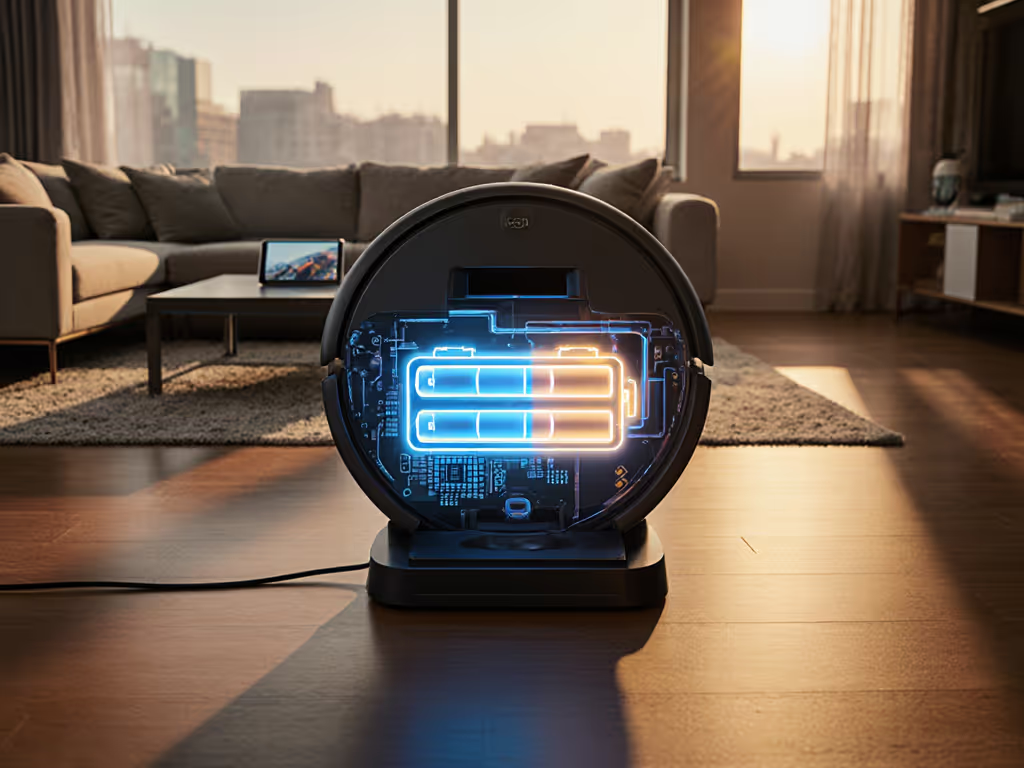
Let's talk about the heart of your robot vacuum (the battery). When comparing Li-ion vs Li-Po vacuum systems, most shoppers focus on runtime numbers alone. For tested performance beyond specs, see our verified battery life runtime tests. But battery chemistry affects years of reliability, not just how many rooms it cleans per charge. I've seen too many frustrated owners replacing robots after year two because they didn't understand these differences upfront. Simple setup today prevents headaches for the next thousand runs.
Why Battery Chemistry Matters More Than You Think
Robot vacuums aren't just moving, they are computing, mapping, avoiding obstacles, and adjusting suction. That constant power demand makes battery choice critical. Unlike your phone battery, these need to deliver steady energy while enduring daily charge cycles and physical bumps. Let's break it down simply.
Frequently Asked Questions: Battery Edition
What's the real difference between Li-ion and Li-Po for robot vacuums?
You're not just buying runtime, you're buying reliability for the next 3 years
Li-ion batteries use rigid metal casings (like your laptop). Li-Po batteries use flexible polymer pouches (like high-end drones). Both are lithium-based but behave differently:
- Li-ion: Denser energy storage (more runtime per pound), heavier, more durable casing
- Li-Po: Lighter weight, slightly lower energy density, but better at handling sudden power spikes
Robot makers choose based on design priorities. Higher-end models often use Li-ion for longer runtime on hard floors. Compact models might use Li-Po to save space for larger dust bins.
Which actually lasts longer: Li-ion or Li-Po?
This is where battery longevity factors get misunderstood. Li-ion typically handles 500-800 full charge cycles before dropping below 80% capacity. Li-Po manages 300-400 cycles. But here's what matters more for your robot vacuum:
- Partial charging is kinder. Robots rarely drain fully before returning to dock. Both types last longer when kept between 20-80% charge.
- Heat kills batteries. Models with better thermal management (like those with aluminum chassis) extend life regardless of chemistry.
- BMS quality matters most. A good Battery Management System prevents overcharging and balances cells that impacts longevity more than raw chemistry.
I helped my sister pick her first robot last year. She chose based on suction power alone, not battery specs. By month six, her runtime dropped 40% because the cheap BMS couldn't manage the Li-Po cells properly. Fix the snag, not the schedule.
What's a "charging cycle" really mean for my robot?
A charging cycle explanation that actually helps: One cycle = using 100% of battery capacity, but NOT one full charge. If your robot uses 50% today and 50% tomorrow, that's one full cycle. Most quality robots complete cycles gradually:
| Usage Pattern | Li-ion Impact | Li-Po Impact |
|---|---|---|
| Daily partial charges (30% used) | ~2.5 years lifespan | ~1.8 years lifespan |
| Full drain/recharge weekly | Fails faster (18 months) | Fails much faster (12 months) |
The key? Consistency. Robots that return to dock regularly (without deep discharges) maximize lifespan for either chemistry.
Does power density affect my cleaning?
Absolutely, and it is where power density analysis gets practical. Li-ion packs more energy per pound (150-250 Wh/kg vs Li-Po's 130-200 Wh/kg). Translation:
- For homes under 1,500 sq ft: Both work fine. Li-Po's lighter weight helps with stair detection.
- For larger homes or thick carpets: Li-ion's higher density means 15-20% longer runtime before docking. If you live in a 3,000+ sq ft home, our guide to long-battery, smart-mapping vacuums compares the best options.
- For multi-floor cleaning: Li-ion models handle the extra navigation computing better without voltage drops.
But don't chase specs blindly. I've tested a $1,000 model with top-tier Li-ion that still died early because its software forced full discharges. Check real-world runtime tests, not just battery labels.
What actually kills robot vacuum batteries fastest?
Four hidden battery longevity factors most guides ignore:
- Heat exposure: Parking your dock in direct sunlight (like near a window) accelerates degradation by 2-3x
- Storage at 100% charge: Leaving it fully charged for weeks (like during vacations) stresses cells For infrequent-use homes, see our vacation home robot vacuum guide for models with battery-preservation modes and reliable remote activation.
- Poor BMS calibration: Causes uneven cell wear (some die while others still work)
- Frequent cliff sensor triggers: Those sudden stops draw massive power spikes Li-Po handles poorly
Pro tip: If your robot struggles on dark rugs (triggering cliff sensors constantly), it's chewing through battery life regardless of chemistry. Map verification fixes this. Never skip it.
How do I make ANY battery last longer?
Three imperative steps that work for both types:
- Adjust cleaning schedules to avoid noon heat (when floor temps peak)
- Clean charging contacts monthly with isopropyl alcohol (prevents resistance that strains cells) More upkeep tips to extend overall lifespan are in our robot vacuum maintenance guide.
- Enable eco mode on hard floors, you lose 10% suction but gain 25% battery cycles
When reviewing the Roborock Qrevo Curv S5X specs recently, I noticed its thermal management system actively cools batteries during extended runs (a rare feature that counters heat degradation).
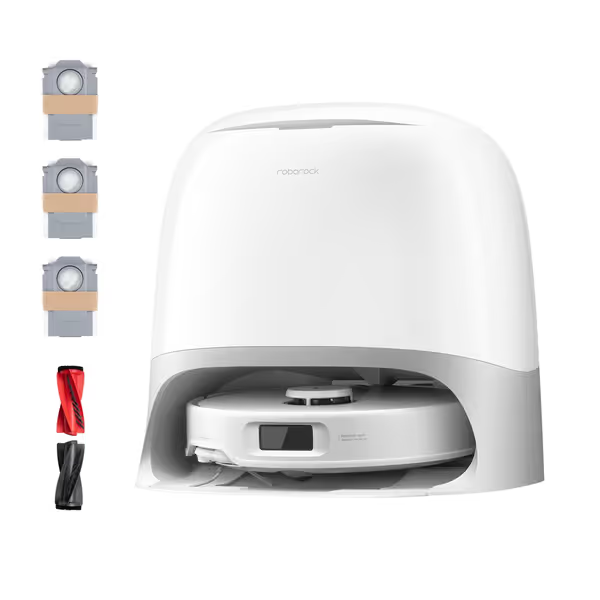
Roborock Qrevo Curv S5X
Effortless cleaning with zero tangles, deep suction, and intelligent navigation.
$799.99
Suction Power18,500 Pa
Suction Power18,500 Pa
Pros
Dual zero-tangling brushes master pet hair and maintenance.
FlexiArm reaches deep into corners and edges.
Cons
Mixed opinions on overall value for money.
App requires 2.4GHz WiFi only.
Exceptional cleaning, accurate mapping, and quiet operation make it a great time saver.
Exceptional cleaning, accurate mapping, and quiet operation make it a great time saver.
The Bottom Line: Chemistry Is Just One Piece
Neither Li-ion nor Li-Po is "better" universally. What matters is how the manufacturer implements it. Compare:
- BMS sophistication (look for "cell balancing" in specs)
- Thermal design (metal chassis vs plastic)
- Real-world cycle testing data (not just lab numbers)
For most homes, Li-ion offers better longevity value. But if you have a compact apartment with mostly hard floors, a well-built Li-Po model (like the eufy X10 series) might serve you just as well with its lighter weight.
Your Action Plan
- Check your current robot's battery health in the app (most show "capacity remaining")
- Note patterns: does runtime drop faster in summer? After deep carpet cleans?
- Adjust one setting today: Enable eco mode on hard floors or move your dock away from heat sources
Simple, correct setup upfront saves hours of fixes later. Your robot's battery shouldn't keep you up at night. It should just make your floors cleaner while you sleep. Fix the snag, not the schedule.
Related Articles